
Understanding the Importance of Accessible Website Design
Website Accessibility Tips help businesses build websites that everyone can use, including people with disabilities. Accessibility ensures that visitors using screen readers, keyboard navigation, or assistive technologies can easily interact with your website.
Modern websites must follow website accessibility guidelines so that content remains usable for all visitors. These guidelines are based on the internationally recognized WCAG accessibility standards. When developers follow these standards, websites become more inclusive and user-friendly.
Accessibility also improves search engine optimization and user engagement. When a website provides better usability and structured content, search engines reward it with better visibility.
To understand the official accessibility requirements, you can review the standards provided by WCAG accessibility standards. These rules help developers design digital experiences that are accessible to all users.
6 Essential Website Accessibility Tips (WCAG Guide)
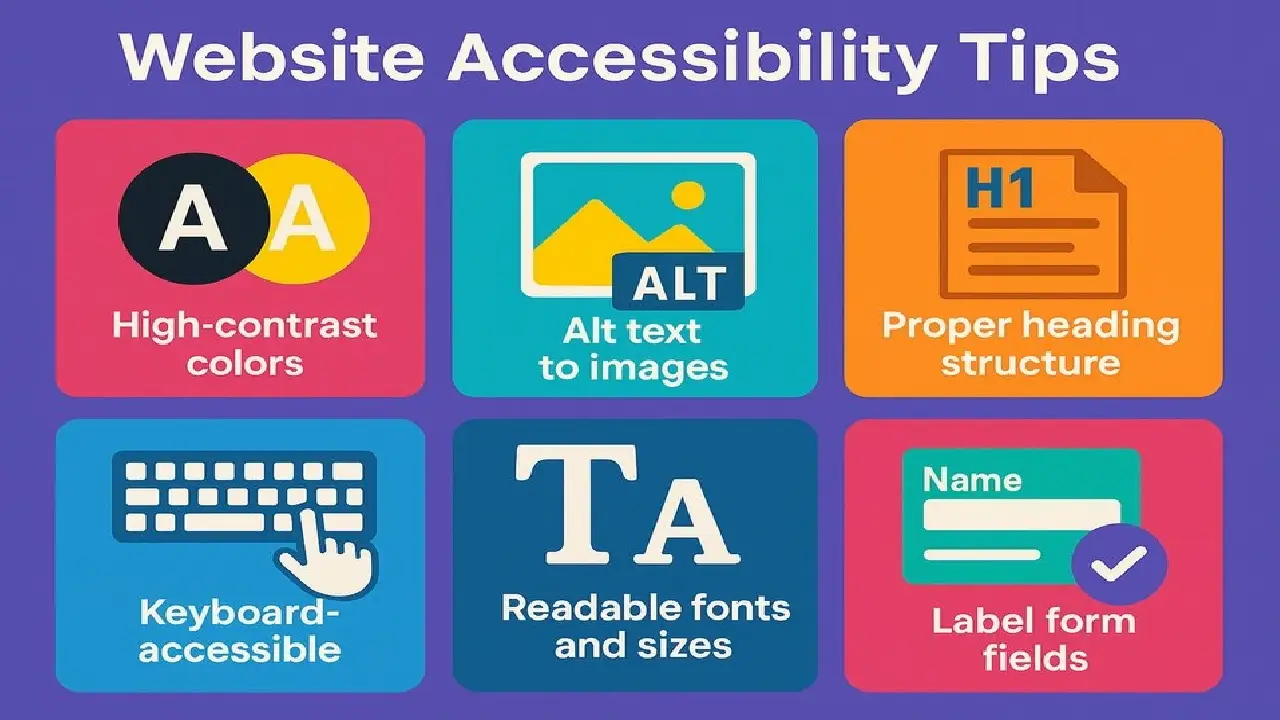
1. Follow Proper Website Accessibility Guidelines
The first step toward accessibility is understanding the core website accessibility guidelines. These guidelines explain how developers should structure content, navigation, and media elements.
Following these guidelines ensures that people using assistive tools can easily browse your website. Proper headings, readable text, and accessible navigation are key components of an inclusive website.
2. Add Descriptive Alt Text for Images
Images are essential for visual engagement, but they must also support accessibility. Adding descriptive alt text allows screen readers to explain images to visually impaired users.
Alt text should clearly describe the purpose of the image. This approach supports accessible website design because it ensures that all users can understand visual content.
When implemented properly, alt text improves accessibility and helps search engines understand your images.
3. Maintain Proper Color Contrast
Color contrast is critical for readability. Users with vision impairments may struggle if text blends with the background.
According to WCAG accessibility standards, text should maintain sufficient contrast against the background color. This improves readability on both desktop and mobile screens.
Strong contrast not only supports accessibility but also enhances the overall visual experience.
4. Support Keyboard Navigation
Many users navigate websites using a keyboard instead of a mouse. Therefore, all website elements must be accessible through keyboard controls.
Menus, forms, and buttons should be reachable using the Tab key. This approach improves usability and helps improve website usability for visitors with mobility limitations.
Accessible navigation ensures that users can explore your website without barriers.
5. Write Clear and Readable Content
Content clarity plays a major role in accessibility. Long and complicated sentences can confuse readers, especially those with cognitive challenges.
Short paragraphs, simple vocabulary, and logical formatting help users understand information quickly. This practice strengthens accessible web design and improves user engagement.
If you want to improve website structure and performance further, you can explore helpful resources on website optimization strategies.
6. Design Accessible Forms
Forms should be easy to complete for all users. Each input field must include a clear label explaining what information is required.
Helpful error messages and clear instructions help visitors correct mistakes quickly. These improvements significantly improve website usability and make forms easier to use.
Accessible forms also reduce frustration and improve conversion rates.
Conclusion: Build Inclusive Websites for Everyone
Implementing these Website Accessibility Tips helps businesses create inclusive digital experiences. Accessible websites ensure that every visitor can interact with content, regardless of their abilities.
By following website accessibility guidelines and applying WCAG accessibility standards, developers can create websites that are easy to navigate and understand.
Accessibility improvements also support SEO performance, increase audience reach, and strengthen user trust. Most importantly, accessible websites demonstrate a commitment to equality and inclusive digital design.
As digital experiences continue to evolve, focusing on accessible website design and working to improve website usability will help websites remain competitive and user-friendly.